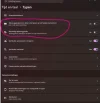
Tekstsuggesties

Bij de instellingen:
1794921812602.webp
 
Dat leert hij vanzelf. Je kan er niet zelf direct invloed op uitoefenen.
 
Ja dat kan wel via een tekst bestand default.dic, maar helaas krijg ik geen woorden toegevoegd. En daar zoek ik dus een antwoord op.
 
Je hebt gelijk, dat bestand is daar inderdaad voor bedoeld.

Wat lukt er dan niet aan?
 
Je kan dat bestand gewoon met Notepad openen:
C:\Users\Pietergompie\AppData\Roaming\Microsoft\Spelling\neutral\Default.dic

Voeg een woord per regel toe.
 
Krijg je dan een foutmelding?
 
Druk eens op CTRL-S voordat je het bestand sluit.
Open na het sluiten het bestand weer.
Zijn de wijzigingen er dan niet?
 
Heb je de computer al opnieuw opgestart?
 
Dan zal het niet het correcte bestand zijn.
Lees dit eens:

Windows does not use a single file for text suggestions; instead, it splits the feature across a system executable and user dictionary files: [1, 2]
  • Text input host executable: TextInputHost.exe (typically located in C:\Windows\SystemApps\MicrosoftWindows.Client.CBS_cw5n1h2txyewy\) handles the modern text input interface, including text suggestions, touch keyboard, and emoji/clipboard panels. [1, 2, 3]
    • Custom & learned word files: Located under %AppData%\Microsoft\Spelling\<language>\ (for example, en-US or nl-NL), including:
      • default.dic — custom/added words
      • default.exc — excluded words
      • default.acl — autocorrect entries [1, 2]
    • Configuration & toggles: Controlled via Windows Settings under Time & language > Typing or in the Registry at HKEY_CURRENT_USER\Software\Microsoft\Input\Settings. [1, 2]
You can check or toggle the feature directly in Microsoft Support. [1]
 
Dan zal het niet het correcte bestand zijn.
Lees dit eens:

Windows does not use a single file for text suggestions; instead, it splits the feature across a system executable and user dictionary files: [1, 2]
  • Text input host executable: TextInputHost.exe (typically located in C:\Windows\SystemApps\MicrosoftWindows.Client.CBS_cw5n1h2txyewy\) handles the modern text input interface, including text suggestions, touch keyboard, and emoji/clipboard panels. [1, 2, 3]
    • Custom & learned word files:Located under %AppData%\Microsoft\Spelling\<language>\ (for example, en-US or nl-NL), including:
      • default.dic — custom/added words
      • default.exc — excluded words
      • default.acl — autocorrect entries [1, 2]
    • Configuration & toggles: Controlled via Windows Settings under Time & language > Typing or in the Registry at HKEY_CURRENT_USER\Software\Microsoft\Input\Settings. [1, 2]
You can check or toggle the feature directly in Microsoft Support. [1]
Daar zat ik zelf ook eens naar te kijken, maar mijn bestanden onder nl-NL en en-US zijn allemaal leeg (1kb) en in .\neutral\default.dic staan de woorden wel. Maar deze lijken voornamelijk door Outlook te worden gebruikt.
 
Terug
Bovenaan Onderaan